Ghostface AI for free: your honest options
You can do the Ghostface AI trend for free. The best free route is Gemini with a good prompt. Here is how it compares with "free" apps and with our paid generator, so you can pick.
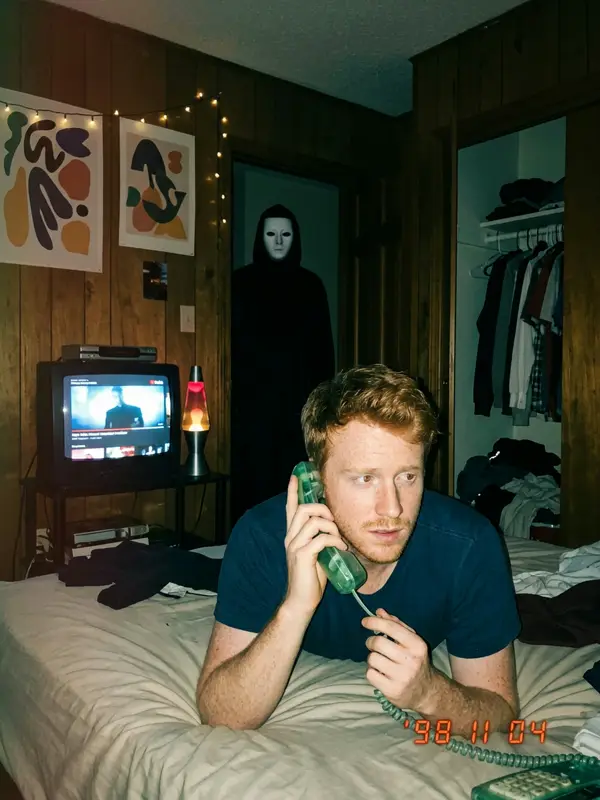
Option 1: Gemini plus a free prompt (free)
This is how the trend started. Google Gemini can edit an uploaded photo, and its image model is nicknamed Nano Banana. Free accounts can use it, with a daily limit.
- Copy a prompt from our free Ghostface AI prompts. These are the exact prompts our generator uses.
- Open Gemini, upload a sharp, front-facing selfie and paste the prompt in the same message.
- If the face drifts, reply "keep my face exactly like in my photo" and try again.
Good: free, good quality, no app to install. Less good: one scene per prompt, the face sometimes changes, horror prompts are sometimes refused, and images carry a visible sparkle mark plus Google's invisible SynthID watermark. A full 4-scene set usually takes 10 to 30 minutes. Our Gemini guide walks through the fixes.
Option 2: other free tools
ChatGPT and several photo apps also accept a reference photo, and our prompts work there too, though face match varies by model. Free plans and limits change often, so check them in the app. Before you upload, watch for these catches:
- "Free" then a weekly subscription after the first photo.
- Watermarks or low-resolution downloads unless you pay.
- Unclear privacy: no deletion period, or your photo used to train AI. Our safety guide lists what to check.
Option 3: our generator (paid, one time)
We are not free, and we will not pretend to be. Our prompts and guides are free to use anywhere. The generator costs $9.99 for 4 photos or $14.99 with an 8-second video, paid once, with no subscription. If the pack cannot be made, you get a full refund automatically.
Free vs paid at a glance
| Gemini + free prompt | ghostface-ai.com | |
|---|---|---|
| Price | Free, daily limit | $9.99 or $14.99, one time |
| Scenes | One per prompt | 4 from one upload |
| Time for a full set | 10 to 30 minutes | About 2 minutes |
| Refusals and retries | Sometimes | Prompts built to pass, refund if it fails |
| Video | Depends on plan and region | Included in the $14.99 pack |
| Visible watermark | Yes | No |
| Your photo | Under your Google account settings | Deleted after 30 days, never used for training |
Which should you pick?
- One photo, some patience: Gemini with a free prompt. It is genuinely good.
- The full set, a couples version or the video today: the generator saves the retries.
- Not sure: try one free prompt first. If the face match is fine, keep going for free.
Done with retries? Get all 4 scenes in about 2 minutes
Make my Ghostface photosFAQ
Can I do the Ghostface AI trend for free?
Yes. Copy one of our free prompts into Gemini, upload a clear selfie and send it. Gemini lets free accounts edit images, with a daily limit.
What is the catch with free Ghostface AI apps?
Many "free" apps give you one photo and then ask for a weekly subscription, add a watermark, or keep your photo for training. Read the pricing and privacy pages before you upload.
Does the free Gemini version have a watermark?
Gemini adds a visible sparkle mark and an invisible SynthID watermark to AI images it makes.
Is ghostface-ai.com free?
Our prompts and guides are free. The generator is paid: $9.99 for the 4-photo pack or $14.99 with the video, one time, no subscription, with a full refund if the pack cannot be made.
Which free option keeps my face best?
Any of them can drift. A sharp, front-facing selfie in daylight and a prompt that starts with "keep my face exactly the same" make the biggest difference.
Ask an AI about this page