Is there a Ghostface AI filter?
Not really. The Ghostface AI trend photos are made with AI image tools, not with a live camera filter. Here is why, what the "ghost filters" you find actually do, and how to get the real look from one selfie.
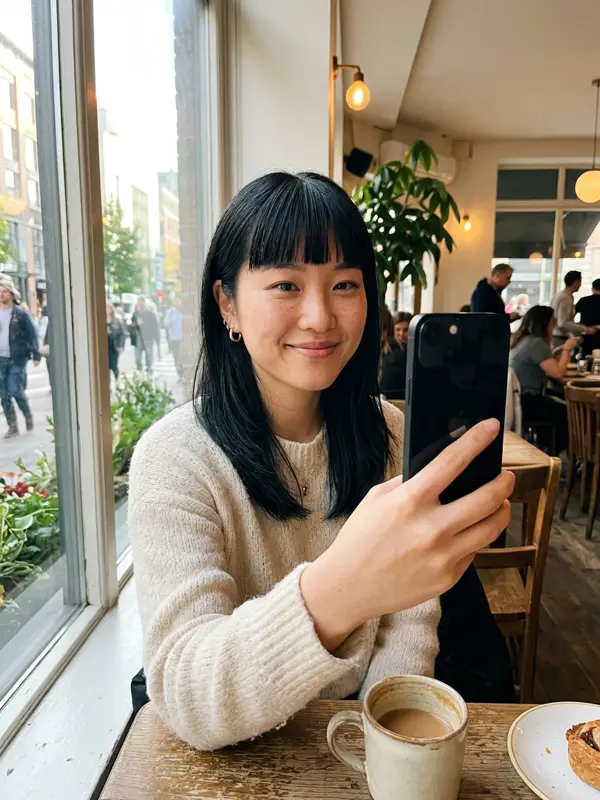
Why there is no single Ghostface filter
A camera filter or effect works in real time. It tracks your face and draws something on top of the live picture: a mask, a colour grade, a floating ghost. That is what TikTok effects and Instagram effects do.
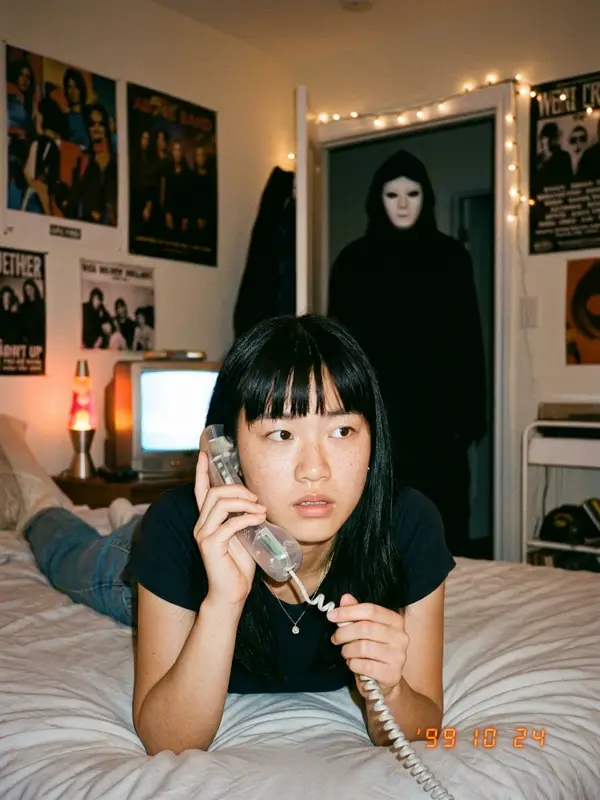
The trend photo is something else. The whole scene is new: a late-90s bedroom, a corded phone, flash and grain, an orange date stamp, and a masked figure in the doorway that the "you" in the photo has not noticed. Building that needs an AI image model that reads your selfie and paints a new picture around your face. When the trend started in September 2025, people used Google Gemini for it, as Know Your Meme records.
As of October 2026 we could not find an official TikTok or Instagram effect that makes this photo. Effects come and go quickly, so check the effects tab yourself, but expect to need an AI edit.
What "ghost filters" actually do
Search "ghost filter" and you will find plenty, including CapCut's ghost AI filter templates. Most of them do one of these things:
- Overlay: a see-through ghost or shadow drifts across your video.
- Face effect: pale skin, dark eyes or a mask drawn over your face.
- Colour grade: green or blue horror tint, VHS lines, flicker.
They can be fun, but none of them put you in the 90s bedroom with the figure behind you. If you want the trend look, use one of the AI routes below.
How to get the Ghostface AI look
Free: Gemini plus a prompt
Open Gemini, upload a clear selfie and paste a prompt from our Ghostface AI prompt page. The prompts start with a face-lock sentence and describe a generic masked figure, which avoids most refusals. Our step-by-step Gemini guide covers the common fixes.
One tap: our generator
Upload one selfie here and you get 4 scenes in about two minutes: the bedroom phone call, a mirror selfie, the couch and TV, and a dark hallway. Add the video pack if you want the scene to move.
Filter vs AI edit at a glance
| Camera filter | AI edit | |
|---|---|---|
| Works live | Yes | No, takes seconds to minutes |
| Changes the room | No | Yes |
| Adds a figure behind you | Only as an overlay | Yes, lit like the rest of the scene |
| Keeps your face | Yes, it is your camera | Mostly, with a good selfie |
Tips for a filter-like result
- Use a selfie with your face to the camera, in daylight, no sunglasses.
- Ask for "flash photo, heavy grain, soft focus, orange date stamp" if the result looks too clean.
- Post several scenes as a carousel. It feels like a filter series, but each shot tells part of the story.
Get the trend look without hunting for a filter
Make my Ghostface photosThe Ghost Face® mask is a registered trademark. This site uses a generic masked figure and is not connected to the Scream films, TikTok or Instagram.
FAQ
Is there a Ghostface AI filter on TikTok or Instagram?
We could not find an official TikTok or Instagram effect that makes the Ghostface AI trend photo as of October 2026. The trend photos are made with AI image tools, not live camera filters.
What is the difference between a filter and an AI edit?
A filter is drawn over your live camera in real time. An AI edit builds a new picture from your photo, so it can change the room, the light and add a figure behind you. The trend look needs an AI edit.
Why do "ghost filter" effects look different from the trend?
Most ghost filters add a see-through ghost or a spooky overlay on top of your video. The trend photo is a full 90s bedroom scene with a masked figure in the doorway, which a simple overlay cannot make.
Can I use the AI photo like a filter in a video?
Yes. Make the photo first, then turn it into a short clip with an image-to-video tool, or get the 8-second video in our photos + video pack.
Ask an AI about this page