Ghostface AI trend for couples and friends
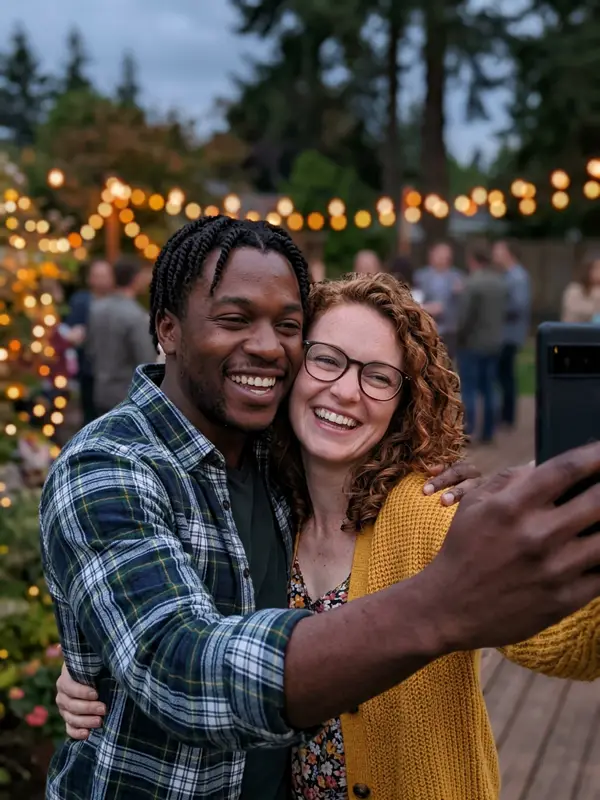
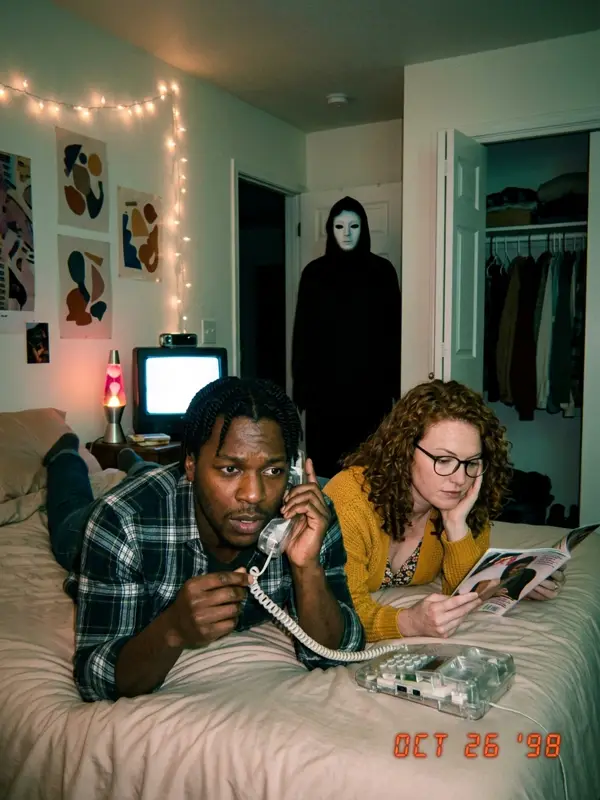
The couples and friends version puts everyone from one photo into the same 90s horror scene, and the masked figure is watching all of you.
How to make the couples version
- Take or pick one photo with everyone in it, faces clear and not too small.
- On the generator, choose Couple or friends.
- Pick your pack. Every scene keeps every face from the photo.
Ideas that do well
- The phone call: one of you on the phone, the other reading a magazine, neither notices.
- The sleepover: friends on the couch with popcorn while the figure leans over the sofa.
- The mirror selfie: two of you in the bathroom mirror, and a third face in the dark.
- The reveal post: post the photos as a carousel and end with the hallway shot.
Tips for the best result
- Two to four people. More than that and the faces get too small.
- Everyone looking toward the camera, no sunglasses.
- Only use photos of people who are happy to be in it.
Prefer to do it yourself? The couples prompt is on our free prompt page.
Put your partner or friends in the scene
Make our Ghostface photosFAQ
How do I do the Ghostface AI trend with my boyfriend or girlfriend?
Upload one photo with both of you in it and choose "Couple or friends". Both of you end up in every scene, with the masked figure behind you.
How many people can be in one photo?
Two to four people work best. With more people the faces get small and the match gets weaker.
Can I combine two separate selfies?
Right now the tool takes one photo. Take a quick selfie together, or put two photos side by side in a collage and upload that.